Copying the whole bubble
Long-press a desk message and the phone copies the entire bubble, label included. Paste that into the SkyFair first box and it holds Username: rk4471, which matches no account anywhere. Select only the ID itself, or type it.
Biz sign-in, field by field
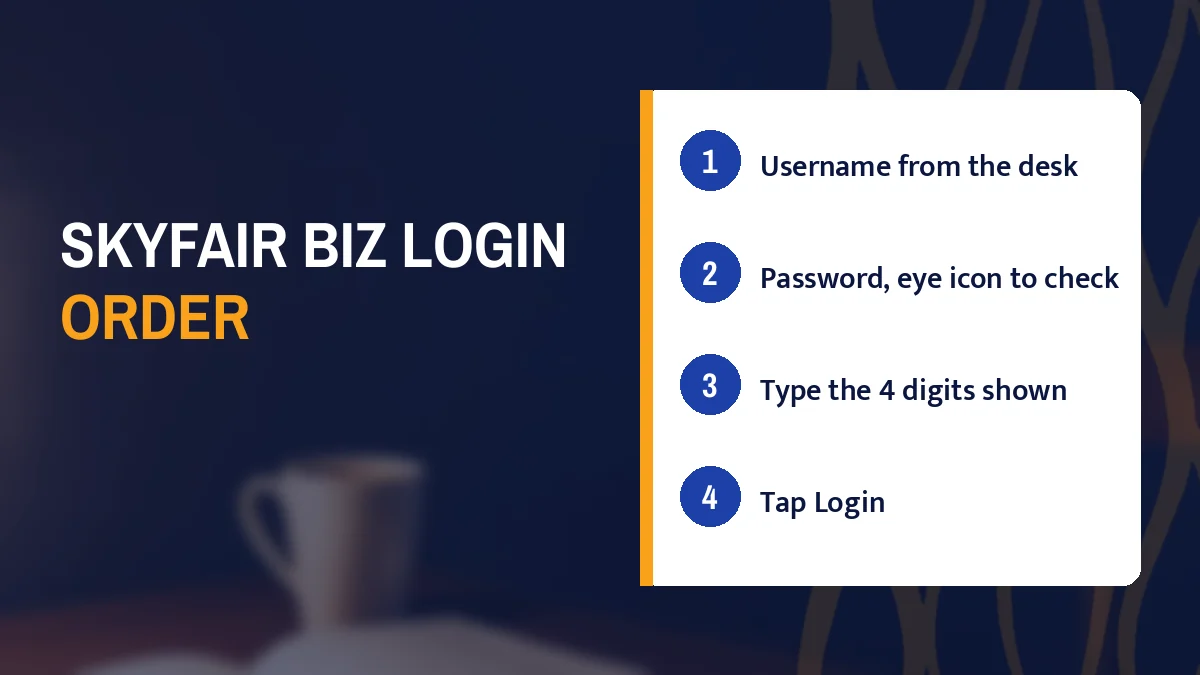
SkyFair biz login takes three entries on one screen: the username the desk gave you, your password, and a 4-digit validation number copied from beside its box. Open www.skyfair.biz with the www in front, tap Login, fill those three, and the lobby with In-Play cricket opens.

Sign-in screen copy
+91 81097 11726 · SkyFair Biz Sign-In Screen

Type www.skyfair.biz, not skyfair.biz. On 17 Oct 2026 the bare ending gave no reply at all inside fifteen seconds, while the www form answered and handed over a small app page that then pulled the SkyFair lobby in by script.
That one prefix decides whether the SkyFair biz login screen ever appears. Most phones drop the www when you type quickly or pick an old suggestion from the address bar, so check the bar after the page settles. If it reads skyfair.biz with nothing in front, add the four characters and load again. Two seconds of work.
Once the lobby is up, look at the top row. The SkyFair logo sits at the left; two controls sit at the right, Sign up and Login. Tap Login. Sign up is for a fresh account, and since IDs on this site come from the desk over WhatsApp, you will not need it for this page (the account you are about to open already exists, it just has not been used yet).
Address trouble on a given day, and the other endings, are tracked on the SkyFair biz address page and the SkyFair login page. This page stays with the boxes.
One more thing before the first field. The SkyFair lobby is built as a phone-shaped column, and on a wide laptop screen it stays that narrow column in the middle, so if the login screen looks small on desktop, that is the design and not a broken load.
The first box wants your username, and on SkyFair that is a string the desk created for you, not something you picked. It arrives in the WhatsApp chat where the ID was made, usually alongside the password.
Copy it the way it was sent. Letters, digits, any underscore. If the desk wrote it in lower case, type lower case; we have not seen SkyFair state whether the field cares about case, and guessing wrong costs you a failed attempt, so the safe habit is to match the message character for character.
Long-press a desk message and the phone copies the entire bubble, label included. Paste that into the SkyFair first box and it holds Username: rk4471, which matches no account anywhere. Select only the ID itself, or type it.
Phone keyboards like to capitalise the first character of any field. A username sent as rk4471 can become Rk4471 before you notice. Switch to the lower-case key, or paste instead of typing.
In some chat fonts 0 and O look nearly the same. If a SkyFair username mixes digits and letters and the first try fails, ask the desk which one it is rather than trying both blindly.
Trying both blindly has a cost, by the way. The SkyFair rules shown in the lobby say logins from frequently changing IPs, or from different IPs in several cities, can get bets voided or an account suspended, and a run of rapid failed attempts from a phone that keeps hopping between Wi-Fi and mobile data is exactly the pattern you do not want on your record while you are still sorting out a typo in the username.
Do not borrow a username either. SkyFair allows one account per person, players must be 18 or older, and the ID you were given is tied to the upline that funds it (the Super, Master and Sub levels sit above every player). A friend's username will open the friend's balance, not yours.
The second entry is the password, and the SkyFair box hides it behind dots the moment you type. At the right edge of that field sits an eye icon.
Tap it. The dots turn into the characters you actually entered, and you can read the whole string against the desk message before pressing anything. Tap again and it hides.
That small icon saves more failed logins than anything else on the screen, because the usual password mistakes are invisible behind dots: a capital letter where the desk sent lower case, a doubled character from a sticky key, a full stop pasted from the end of the chat line, or a keyboard that quietly switched language halfway through.
Type or paste the SkyFair password into the second box.
Tap the eye icon and read it slowly against the message.
Fix anythng that differs, then tap the eye again to hide it.
Reveal it somewhere private. A train seat, a shared office desk, a cousin reading over your shoulder at a match screening: the eye icon shows the password to anyone in range, so hide it again once checked. Ten seconds, then gone.
Password managers can fill this box too. If yours saved the SkyFair password on an older address such as a different ending, it may not offer it on www.skyfair.biz, because the browser treats each domain separately; paste it in by hand that first time and let the manager save it again for the biz address.
People reach this sign-in through slightly different wording, and each version points at the same three-box SkyFair screen opened from www.skyfair.biz.
Searching skyfair biz login usually means the reader already has a username and wants the screen itself. The working path on 17 Oct 2026 was the www form, then the Login control at the top right, then Username, Password and the 4-digit Validation Code.
Three taps in the phone browser turn the www address into a skyfair biz login app icon that opens on the SkyFair sign-in row.
Both strings come from the SkyFair desk chat, so the field names map like this:
The third box is the one that confuses first-timers. SkyFair labels it Validation Code, and right next to it the screen shows a 4-digit number.
You type that number into the box. Nothing more to it. It is not sent by SMS, it is not in the desk chat, and the desk does not have it; the digits are printed on your own screen, beside the very field that asks for them, and the whole point is that a person reading the screen copies them across.
Presumably it exists to stop scripts from hammering the login with guesses. That is our reading, not a SkyFair statement. What matters in practice is simpler: read the number fresh every time you sign in, because the digits on today's screen are the only ones that count, and a code remembered from yesterday is just four random numbers.
Order matters here too. Fill the username, then the password, then the validation code, and only then tap Login; filling the code first and spending a minute hunting for the password in WhatsApp leaves time for the screen to reload under you.
Does the code box ever take letters? Not on the screen we saw on 17 Oct 2026: four digits, every time. If you see letters beside the box, stop and check the address, because that is not the SkyFair sign-in described here.
Keyboard tip. Most phones open a number pad when you tap a box like this, which makes four digits a three-second job. If yours opens the full keyboard instead, the digits are on the top row.
Here is a whole sign-in with a made-up account, so you can see the order of taps. The username rk4471 and the password below are invented for this example; yours will come from the desk.
| Step | What you do | What you see |
|---|---|---|
| 1 | Type www.skyfair.biz and load it | A short app page, then the SkyFair lobby column |
| 2 | Tap Login at the top right | The sign-in screen with three boxes |
| 3 | Username: rk4471 | The string as typed, no trailing space |
| 4 | Password: Mango#58 then the eye icon | Mango#58 in clear, checked, hidden again |
| 5 | Read the digits beside the code box, say 3920 | 3920 typed into Validation Code |
| 6 | Tap Login | The lobby: banner strip, Sports card with a LIVE badge |
After step six the screen you land on is the main SkyFair lobby. A promo strip runs across the top, then the Sports card with its LIVE badge and a live count of events for each sport. At 15:44 IST on 17 Oct 2026 the official lobby showed 10 cricket events against that badge; the count changes through the day.
Under the Sports card runs a two-column wall of game tiles, and along the bottom a fixed bar: a round Games button, then Sports, In-Play, Home, Multi Markets and Account. For cricket, In-Play is the tab you want. Before the first bet, it is worth opening the settings sheet to set a default stake and your quick stakes, because the stake buttons you see on the bet slip come from there.
Tap In-Play on the bottom bar once you are in. A running cricket match opens on exchange back and lay prices, with bookmaker and fancy markets listed beside them, and the SkyFair prices shift while play goes on, so the number you tapped may have moved by the time the slip opens. The settings sheet has a switch to highlight when odds change, which helps on a busy over.
A regular from Nagpur described his first week like this: he kept typing the code before the password and kept getting bounced, until he switched the order. Same three boxes, same digits. The order fixed it.
What if step six does not take you anywhere? Work backwards. Check the validation digits first, since they are the easiest to misread, then reveal the password with the eye icon, then look for that trailing space in the username. If all three are right and the SkyFair screen still refuses, the account itself may need a word with the desk; message them with the username (never the password) and the time you tried.
And if the address will not load at all, the problem sits before the login screen. Try the SkyFair blue sign-in described on the SkyFair blue login page, or the vip route on the SkyFair vip login page; the same username and password open the same account there.
Below the Login button on the SkyFair sign-in sceen sits a row of policy links. Eight of them, and they are the actual rulebook for the account you are opening.
Privacy Policy covers what SkyFair holds about you. Terms and Conditions and Rules and Regulations hold the betting rules: bets matched after an event's scheduled start are void, settlement follows official results, and self-matched bets can be voided within one week of placement.
The KYC link explains the identity checks. SkyFair's terms carry an anti-money-laundering and KYC policy, and a withdrawal can ask for KYC, so read this one before your first cash-out. Funds on SkyFair reach a player through the upline, which is why a KYC request usually comes through the same desk that issued the ID. Responsible Gaming sets out the account limits side.
About Us is the operator's own description. Self-Exclusion Policy explains how to shut yourself out of the account for a period. Underage Policy repeats the 18+ rule and what happens to accounts that break it.
In full, the order on screen is Privacy Policy, Terms and Conditions, Rules and Regulations, KYC, Responsible Gaming, About Us, Self-Exclusion Policy, Underage Policy.
Which of them should a cricket player actually open? Rules and Regulations, at minimum, because it holds the lines that bite in practice: the note that logins from changing IPs can void bets, the void rule for bets matched after scheduled start, and the line on punching or self-matching, which SkyFair voids on sight. Ten minutes with that page saves arguments later.
Two lines from that rulebook touch the sign-in directly. SkyFair allows one account per person, so a second username for the same player is a breach, not a spare. And a single evening that runs home Wi-Fi, then mobile data on the bus, then a friend's connection in another city is close to the changing-IP pattern the rules say can void bets, so sign in from one connection and stay on it while a match is running.
Short version. Read Rules before betting, KYC before withdrawing.
Our own summary of how these SkyFair terms apply to IDs made through this site sits on the SkyFair terms and conditions page; it is a plain reading, and where it and the official lobby text differ, the lobby text is what settles a bet.
Typing the address every evening is where the dropped www creeps in. So the skyfair biz login app on this page means an icon that carries the www form for good and opens the SkyFair lobby with Login waiting at the top right.
Open www.skyfair.biz in Chrome or Safari and let the SkyFair lobby finish loading.
Open the browser menu and pick Add to Home screen (Safari calls it the same under the share sheet).
Rename the icon to something you will recognise, such as SkyFair Biz, and confirm.
Pin the www form. If you pin while the bar shows the bare ending, the icon carries that address forever and opens a silent page every time; delete it and pin again from the www address. The icon behaves like the browser tab it came from, so the same three entries, the same eye icon and the same 4-digit validation code appaer each time you tap it, and the browser may remember the username if you let it.
Two icons is fine. Some players keep one for biz and one for another working ending, which helps on days when an Indian provider blocks one of them.
The icon does not follow the brand around. If biz goes quiet on your network one day, the shortcut opens a silent page too, because it only knows the one address. Make a second SkyFair icon from whichever ending answers instead of editing the first.
For an actual installable build, or the APK questions people ask, the SkyFair app page has what we found; this page stays with the sign-in screen the icon opens.
Both come from the SkyFair desk in the WhatsApp chat where your ID was created, and the ID costs nothing. Type the username exactly as sent into the first box, paste the password into the second, check it with the eye icon, then fill the validation code.
Read the four digits shown beside the third box and type them in; that is the whole SkyFair validation code. No OTP is involved and the desk never sends it. After any reload of the sign-in page, glance at the number again before typing, since only the digits on screen right now count.
The phone can make one for you. With www.skyfair.biz open, pick Add to Home screen, give the shortcut a name, and an icon appears. Each tap lands on the SkyFair lobby, Login sits at the top right, and the validation digits still need typing every time.
Work out which step failed. A page that never loads points to the address, so try the blue or vip SkyFair ending. A screen that loads but refuses you usually means misread validation digits, then a password case slip. Still refused? Send the desk your username and the time you tried.
The SkyFair sign-in screen itself shows no change option, only Username, Password, Validation Code and Login. The desk that created your ID handles account requests around the clock, so message it from your registered WhatsApp number and ask about a new password. Never share the old one in chat.