Check before you message
Tap the eye icon in the password box and read what you actually typed. Look for a trailing space, a capital first letter your phone added, or caps lock on a laptop.
Sign-in trouble, sorted
A SkyFair login that fails almost always fails for one of five reasons, and each one has a short fix. Match what your screen shows against the symptom table below, retype the 4-digit code if that is the problem, and send anything stuck (a lost password, a blocked account) to the 24/7 desk on WhatsApp.

Sign-in screen copy
+91 81097 11726 · SkyFair Login Fix Desk

First question on any failed sign-in: did the page even reach the SkyFair server? A spinning screen and a refused password are two very different faults, and the fix for one does nothing for the other.
Think of the address as a door and the SkyFair login as the key. The key belongs to your account, so it turns in any official door that opens that day, and a door that will not open says nothing about the key. Our own check on 17 Oct 2026 is a good example: typed bare, skyfair.biz and skyfair.vip gave no reply for fifteen seconds, yet with www in front each loaded a SkyFair lobby within the same test, which means a player who left out four characters would have blamed a password that was never wrong. The full address list and its status sit on the SkyFair biz address page.
Read across the row that matches your screen. Most SkyFair sign-in problems fall into one of these, and roughly half of them clear up without anyone else's help.
| What you see | Likely cause | What to do |
|---|---|---|
| SkyFair says the validation code is wrong after you press Login | The 4-digit number was mistyped, or the page refreshed and showed a new number | Read the number next to the box again and type it fresh |
| SkyFair accepts the code but refuses the password | Wrong password, a stray space, or caps on | Use the eye icon to see what you typed; if it still fails, ask the desk for a reset |
| The SkyFair page keeps loading, nothing appears | The address is blocked or the bare ending is silent | Add www, or switch to another official address |
| Account suspended or bets voided | Logins through a virtual private network or from many changing IPs and cities | Switch that tunnel off and contact the desk with your username |
| Thrown out during a match | Session dropped, network changed, or address went down | Sign back in on an open address and check your bet list |
| Admin-style sign-in screen | You opened an ag. agent address | Go to the player address instead |
Two rows need a person. A forgotten password and a suspended account both go to the desk, because nothing on the SkyFair login screen itself lets you change either one; the screen has four things on it (username, password, the code box, the Login control) and no self-service reset.
Everything else? Yours to fix.
The SkyFair login screen shows a 4-digit number beside the third box, and you type that number in by hand. It is a simple check that a person, not a script, is signing in.
Most rejected codes come from one of three slips. The first is reading a digit wrong on a small phone screen, where a 1 and a 7, or a 3 and an 8, can blur together at a glance. The second is refreshing the page after reading the number: the screen draws a new number, but your memory still holds the old one, and you type digits that no longer match. The third is autofill. Some phone keyboards remember what you typed in a box last time and offer it again, which is fine for a username and useless for a code that changes.
Look at the number currently printed next to the box, not the one you saw a minute ago.
Clear the code box completely, then type the four digits yourself. Do not accept a keyboard suggestion.
Press Login straight away. If you wander off to WhatsApp first and come back, check whether the number changed.
Rejected twice with a clearly correct code? Refresh, read the new number, type it, try once more.
A regular from Nagpur kept getting refused on a Saturday afternoon and was sure his SkyFair account had been locked. It had not; his keyboard was pasting the code from his previous visit every time he tapped the box. One manual retype and he was in.
If the code goes through but the page still says no, the problem is almost certainly the password, which is the next section. A wrong code and a wrong password feel the same from the outside (you press Login, you stay on the SkyFair sign-in page), so fix the code first and you remove one suspect.
There is no forgot-password link on the SkyFair login screen. The fields are username, password and code, and below them sit only policy links (privacy, terms, rules, KYC and so on).
So the reset happens where the ID came from. On this site, SkyFair IDs are created in a WhatsApp chat with the desk, and the ID costs nothing, which means the same chat is the place to ask for a new password. That is the theory, anyway. In practice the first thing to rule out is a password that is correct but typed badly, because that is far more common than a truly forgotten one.
Tap the eye icon in the password box and read what you actually typed. Look for a trailing space, a capital first letter your phone added, or caps lock on a laptop.
One mesage is enough: the SkyFair username, plus the symptom from the table above (code accepted, password refused). Leave the old password out of the chat entirely.
Sign in with the new password on an open address, type the fresh 4-digit code, and confirm your balance shows as before.
The desk number is +91 81097 11726, shown here as plain text; the support line runs 24/7, so a password lost at midnight before a morning Test session does not have to wait. Save that number in your contacts under a name you will recognise, because the chat history with the desk is also where your original SkyFair login details usually sit.
One more thing. If you were given your ID by someone above you in the account chain (the rules call them Super, Master and Sub account holders, the upline), the reset request can also go to that person, since players get their funds through the upline. Ask whoever issued the SkyFair ID; they hold the account on their side.
Short version: no reset button on the screen, the issuer resets it, and the free desk on WhatsApp is the issuer for IDs made through this site. Contact details and hours are on the SkyFair desk number for login resets.
This is the row in the table that costs real money, so it gets its own section.
Two lines in the SkyFair exchange rules bite at the exact moment you press Login. Press it with a virtual private network running, or from an IP that keeps shifting, and bets from that session can be voided. Sign in from IPs spead across several cities and the account itself can be suspended. Neither rule looks at your password: the Username and code can be typed perfectly and still trip it, because the check reads where a sign-in came from, not who typed it.
Other common triggers are less obvious. A phone that hops between home Wi-Fi, mobile data and an office network across the day shows several IPs. Lending the login to a friend in another city, even once, looks to the system exactly like the multi-city pattern the rules describe. Signing in from a cyber café while travelling adds another location. None of these is wrong on its own; stacked together, over a short time, they read as one account used by several people.
Turn off any IP-masking app before opening a SkyFair address, including the ones that switch themselves on automatically.
Keep the SkyFair login to yourself. The rules allow one account per person, 18+ only.
If the account already shows as suspended, message the desk with your username, the cities you logged in from, and roughly when. Plain facts help them explain it upstream.
Hard to say how long a review takes; that depends on the upline and on what the logs show, and this site has no figure for it. What is clear is that a fresh SkyFair ID does not fix the underlying habit, because the same pattern on a new account leads to the same result.
Getting thrown out of SkyFair during a live over is annoying, and the instinct is to panic about the bet you just placed.
Slow down for a second. Your bets are recorded by the exchange, not by your browser tab, and settlement follows the official result of the event, so closing or losing a page does not decide anything about a bet that was already matched. What your session does affect is what you can do next: place a new bet, cash a position in your head, check the book. That needs you signed in again.
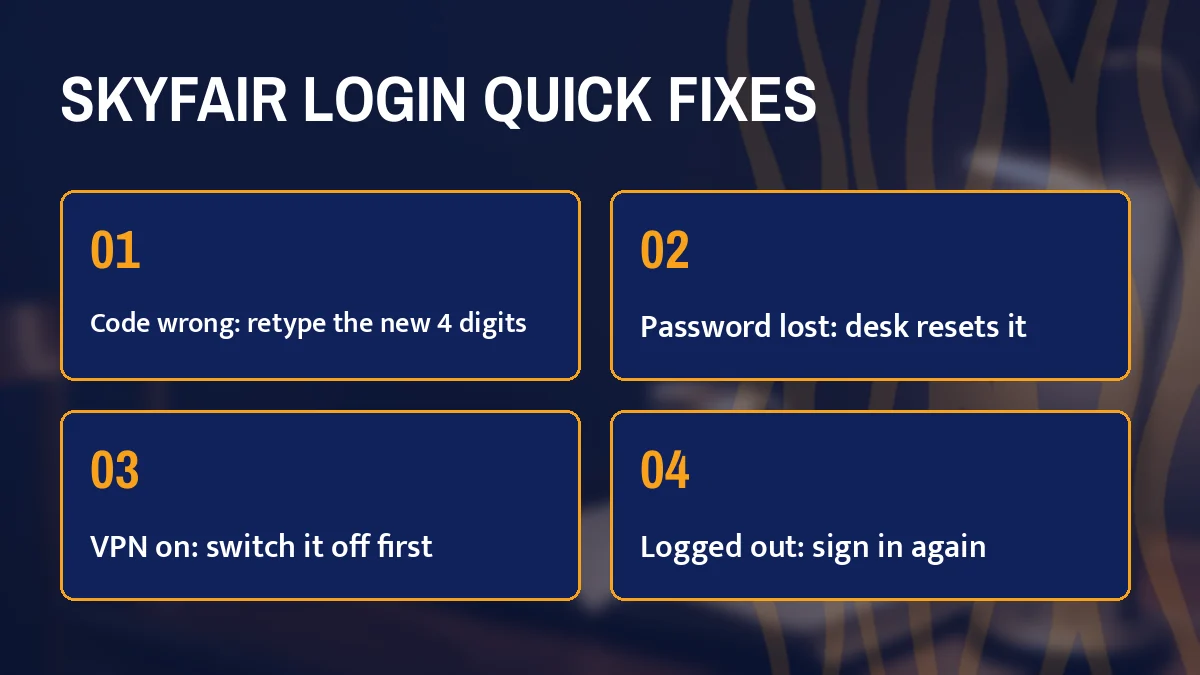
Check your connection first. If mobile data dropped, the SkyFair lobby simply could not reach the server.
Reload the address. Nothing loads? The address may have gone down in the middle of the match; open the www form or another official address and sign in there with the same username and password.
Type the new 4-digit code. It will be different from the one you used at the start of the session.
Open your bet list and confirm what was matched before you dropped. Prices move during play, so anything you meant to add next will be at a new price.
A note on the settings sheet, since it matters right after a reconnect. SkyFair lets you switch on Accept Any Odds for FancyBet and SportsBook, and Highlight when odds change. With accept-any-odds off, a bet you fire off in a hurry after signing back in may be refused because the price moved while you were away; that is the setting working, not another login fault.
Repeated drop-outs every few minutes are a different problem. They usually point at the network switching between Wi-Fi and data, which also feeds the changing-IP pattern from the previous section, so pick one connection and stay on it for the match.
Same account, same details, different screen. The official SkyFair lobby is built in a phone shape, and on a wide desktop monitor it still shows that narrow phone column in the middle rather than stretching out. People sometimes think the desktop version is broken. It is just the layout.
The login controls sit at the top right, with Sign up beside them. After you are in, a fixed bar at the bottom carries Games, Sports, In-Play, Home, Multi Markets and Account, so the main SkyFair scetions are one thumb-tap away.
Everything is the same, only smaller relative to the window. The code is easier to read on a big screen, which cuts down on mistyped digits, and the eye icon in the password box works the same way.
Which one to pick? Use whichever you sign in from most often, and try not to bounce between a phone on mobile data and a laptop on office Wi-Fi within the same hour, because every new connection is another IP in the log. For the step-by-step field walkthrough on the biz address, the SkyFair biz login page covers each box in order; for the vip address, see the SkyFair vip login steps.
Two phones at once is the case people ask about most. Nothing on the SkyFair login screen stops a second device from signing in, but two devices on two networks, especially in two cities, is the pattern the rules warn about, so keep it to one phone at a time if you can.
Some readers land here after searching for a SkyFair login when what they actually lack is an account. Quick test: can you name your username without opening a chat? No username means every fix above is beside the point. A free SkyFair ID is the missing piece, and the desk frames the job as a 2-minute setup, with ₹100 as the smallest first deposit; the SkyFair ID page covers that path from start to finish.
Want to see the sign-in screen first? The desk also lists Login With Demo next to its platforms, which is a way to try the SkyFair layout (the code box, the bottom bar, the settings sheet) before you put any money in. Practice first. Real account after.
When your ID arrives, save the username and password somewhere you can find them again, note the desk number, and sign in once straight away on an open address so you know the details work before the next match starts. If you hit any error on that first attempt, you already know where to look: the table near the top of this SkyFair login page.
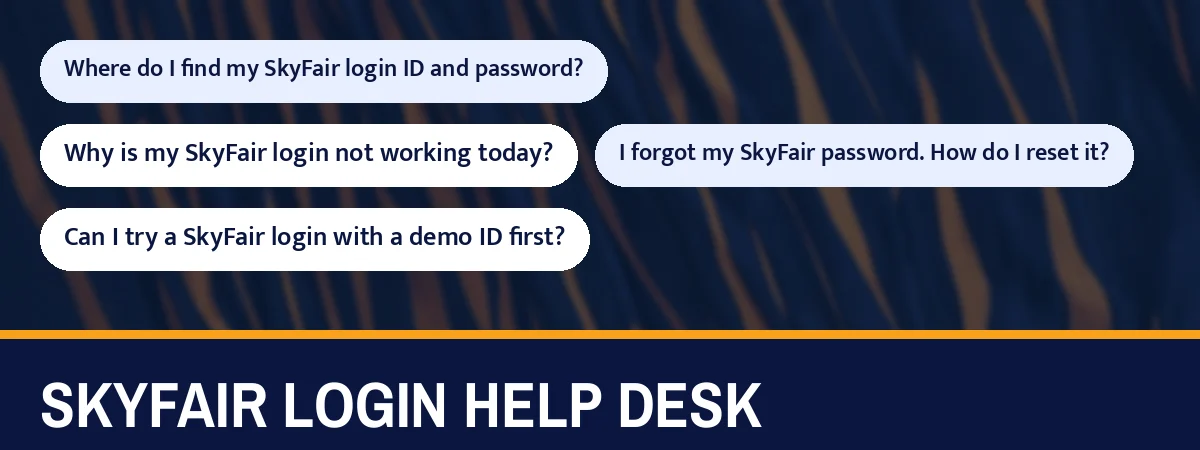
Three inputs, top to bottom: name, secret, then the four printed digits copied into the box they sit beside. A fault at the third step is the most common SkyFair login failure, and the eye icon on the second step is the quickest way to rule out a typing slip.
| Address form | Behaviour on 17 Oct 2026 |
|---|---|
| skyfairinr.com, www.skyfairinr.com | Opened |
| Bare skyfair.biz, skyfair.vip and similar | No answer in 15 seconds |
| www.skyfair.biz, www.skyfair.vip and similar | Answered, loaded the lobby |
A forgotten password, a suspended account, or a missing username all need the desk that issued the ID, reachable on WhatsApp at +91 81097 11726 around the clock.
Everything else, from a mistyped code to a silent bare address, can be fixed from your own phone in under a minute of retyping.
They are in the WhatsApp chat where your ID was created. The desk sends the username and password there, so search that chat first. If you cannot find it or the details no longer work, message the desk with whatever username you remember and ask for them again.
If the page never finishes loading, retype the address with www in front; on 17 Oct 2026 that alone separated silent bare endings from working ones. If the page loads but refuses you, retype the 4-digit code by hand, then check the password with the eye icon. Only then contact the desk.
Ask the desk that issued your ID on WhatsApp. The SkyFair sign-in screen has no forgot-password link, so the reset goes through the issuer. Send your username and say the password is lost; never paste the old password into the chat. Then sign in with the new one.
Yes, the desk lists Login With Demo beside its platforms. It lets you see the sign-in screen, the code box and the lobby layout before you deposit anything. When you want a real account, the same desk sets up a free ID in its 2-minute setup.
The most common cause is the login location. The exchange rules say logins through a virtual private network or from changing IPs can void bets, and logins from different IPs in several cities can get an account suspended. Switch off any masking app and send the desk your username and recent login places.
Yes. The lobby is built in a phone shape, so it fits a mobile screen naturally, with the login controls at the top right and a fixed menu bar at the bottom once you are in. The same username and password work on a desktop browser as well.
The sign-in screen does not stop it, but it is risky. Two phones on two networks, or in two cities, matches the pattern the rules link to voided bets and suspension. The rules also allow one account per person, so keep the login on one device you control.
Whichever official address answers that day. On 17 Oct 2026 skyfairinr.com opened, and the www forms of endings such as biz and vip answered while their bare forms did not. The same login works on all of them, so use the www form if a bare one hangs.